Making Bad Apple playable in a terminal
Posted on 2026-05-03
Recently, I was sent a video by tripflag aka. 9001 aka. ed testing an early version of copyparty and searching for a test file to upload in his downloads folder. He found a decently-sized one and uploaded it to the server. It turns out that the file contained the full bad apple music video and due to some debuggig-shenanigans, it printed the entire thing into the terminal and turned it into a mini video player.
But then I had an idea...
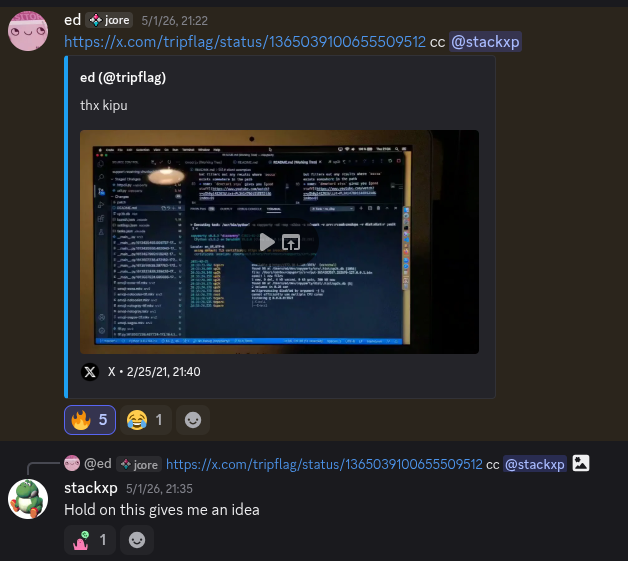
For some reason, this made me think of parrot.live, a fun little web server that displays a dancing parrot in your terminal with ASCII if you curl it. So I decided I wanted to make this, but with Bad Apple instead.
So the way parrot.live works is using ✨ANSI Escape Codes✨, which are invisible characters that can control how your terminal displays text. For example, \033[31m will make the following text red, \033[1m will make it bold, etc. But you can also do other things with them, most notably, setting the cursor position (\033[X;Ym) and clearing the screen (\033[3J). With those, you can basically draw some text, clear the screen and move the cursor back to the top-left. Doing that multiple times per second, you can make little animations or even play entire video files.
But that's not all of it, you can't just dump a raw video file into the terminal, you first have to convert every frame of the video to ASCII-art. So that's why I wrote a whole script to first determine every ASCII character's total brightness by drawing them on a virtual canvas, taking the total brightness values and then ranking them on a list from darkest to brightest. And then I also wrote a script that goes through every frame of the video, scales it so it matches the terminal character sizes and then converts it to ASCII charaters using the list. I ran all of this three times for 30 column, 60 column and 90 column videos and saved all of them to a file so they don't have to be converted on-the-fly.
The last part is the actual server that streams those videos to the clients. I wrote it in Python using Flask my beloved and I also made an extremely basic homepage telling you how to use it. And also, for the first time ever, the code worked first try, which is really amazing. But that streak of luck wont last long...
After I transferred the code over to my server, set everything up, and bragged to everyone in the copyparty discord server about how I did it, I noticed that the video would stop after around 30 seconds saying that "the server terminated the connection". I immediately thought that it was because of cloudflare, because I already kind of expected it to not like every session to be 3 minutes long. So I heavy-heartedly disabled the cloudflare proxy and decided to expose my IP to the open internet, but it somehow still didn't work. The next thing I looked at was Caddy, but reading the documentation revealed that there were no default timeouts in that either. So the last thing that could possibly be causing this is the main WSGI server, gunicorn. I refused to look into that at first, because the code worked just fine with the flask debug server. I tried many different things to get it to work. I even tried to send a Connection: keep-alive header, but to no avail. (ooh fancy word) Some time later, I took a look at the gunicorn documentation. There was one flag named --timeout, which "kills workers that are silent for more than this many seconds" and the default was set to 30 seconds. I thought "huh. Well, I mean the worker isn't silent, it still sends data. Eh, might as well try disabling it. ¯\_(ツ)_/¯"
...And unbelievably, it worked! Apparently, "silent" meant some sort of health check or a connection closing? Whatever, if it works don't touch it. I'm going to leave this server on for a few days to see if it tanks the overall performance too much or if this can be a permanent thing. I even wrote a dyndns update script with a cronjob just in case (which is a whole other story).
So that's how I made bad apple into a terminal/curl program. Check it out at badapple.stackxp.dev (.apple domains sadly don't exist yet) or just run curl https://badapple.stackxp.dev/ in a terminal with internet. See you next time!